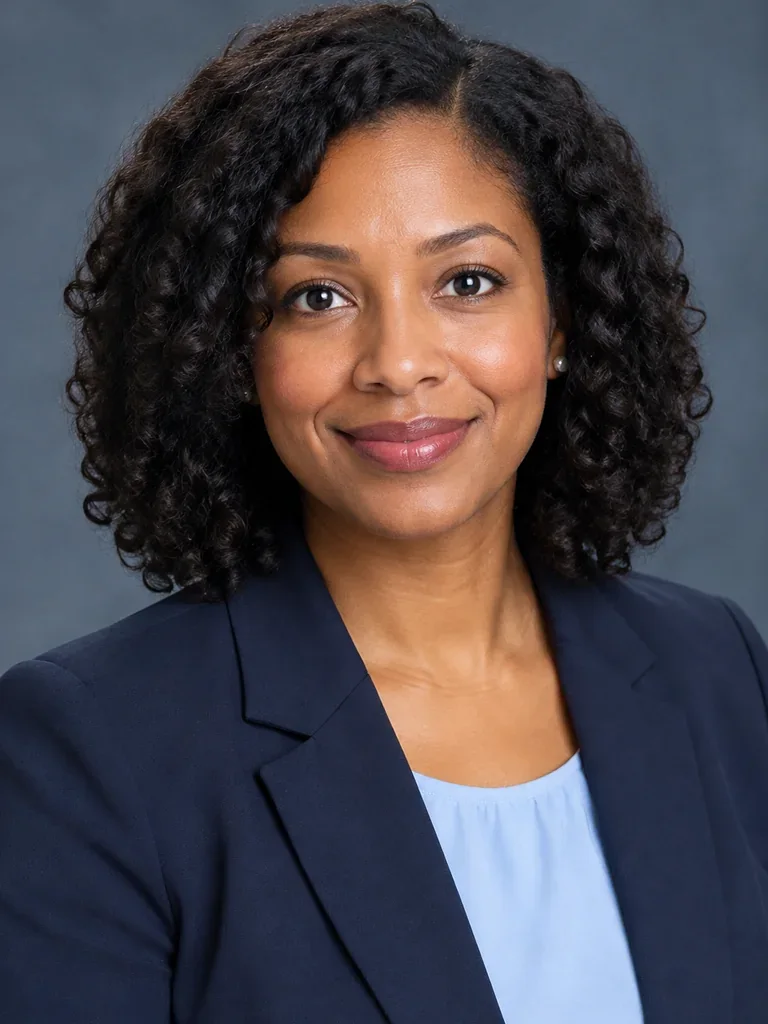
Formal resume portrait
Nearly frontal, composed expression · 3:4. For applications that request a photo.
YOUR NEXT CHAPTER
Turn one clear selfie into a professional headshot for your resume or LinkedIn profile. Choose your outfit and background, then review the result before downloading. Understated tailoring and a confident, approachable expression. The set includes a financial advisor's office setting.
These AI-generated examples show a fictional person wearing the same outfit throughout the set. Props are optional and off by default. Choose the clothing, background and props for your own set.
Your new headshot will appear here
AI-generated headshot example
Check your browser's downloads if the image does not open.
Choose the photos you want to unlock. You can buy ready photos even if others failed.
Select at least one photo to continue.
Nearly frontal, composed expression · 3:4. For applications that request a photo.
Close head-and-shoulders framing, natural smile · 1:1. For professional networks and email.
Standing waist-up portrait, forearms loosely crossed · 3:4. For company profiles and speaker introductions. Understated tailoring and a confident, approachable expression. The set includes a financial advisor's office setting.
Understated tailoring and a confident, approachable expression. The set includes a financial advisor's office setting. Photos 2 and 4 use a second outfit, such as scrubs instead of a lab coat, or an open-collar look instead of a suit. Uncheck to use your selected outfit in all four photos.
Use one recent, front-facing photo with your full head and shoulders visible. Avoid filters and covered eyes.
Review the format, background and clothing. Your photo is sent for AI processing only when you press Generate.
Check the result against your original, confirm it looks like you, and download the JPG.
Read guide: Professional headshot guide
Photos 2 and 4 use a second outfit, such as scrubs instead of a lab coat, or an open-collar look instead of a suit. Uncheck to use your selected outfit in all four photos.
The AI is instructed to preserve your facial features, age, skin tone and hair. It can still make mistakes. Compare every result with your original; identity matching is not automatically verified.
The JPG contains the headshot only, without a name, job title, border or watermark. Both formats use sRGB-compatible JPEG export.
The AI is instructed to preserve your facial features, age, skin tone and hair. It can still make mistakes. Compare every result with your original; identity matching is not automatically verified.
The JPG contains the headshot only, without a name, job title, border or watermark. Both formats use sRGB-compatible JPEG export.