YOUR NEXT CHAPTER
AI professional headshot generator
Turn one clear selfie into a portrait for your resume or LinkedIn profile. Choose your outfit and background, then review the result before downloading.
- Start with one photo
- No account needed
- JPG download
Your new portrait will appear here
Your portrait is ready to review
Compare with your original: check your face, hair, glasses and clothing details. Download only if the result still looks like you.
Check your browser's downloads if the image does not open.
From your photo to a ready-to-review result
Choose a clear photo
Use one recent, front-facing photo with your full head and shoulders visible. Avoid filters and covered eyes.
Choose your settings
Review the format, background and clothing. Your photo is sent for AI processing only when you press Generate.
Compare and download
Check the result against your original, confirm it looks like you, and download the JPG.
A natural, professional result
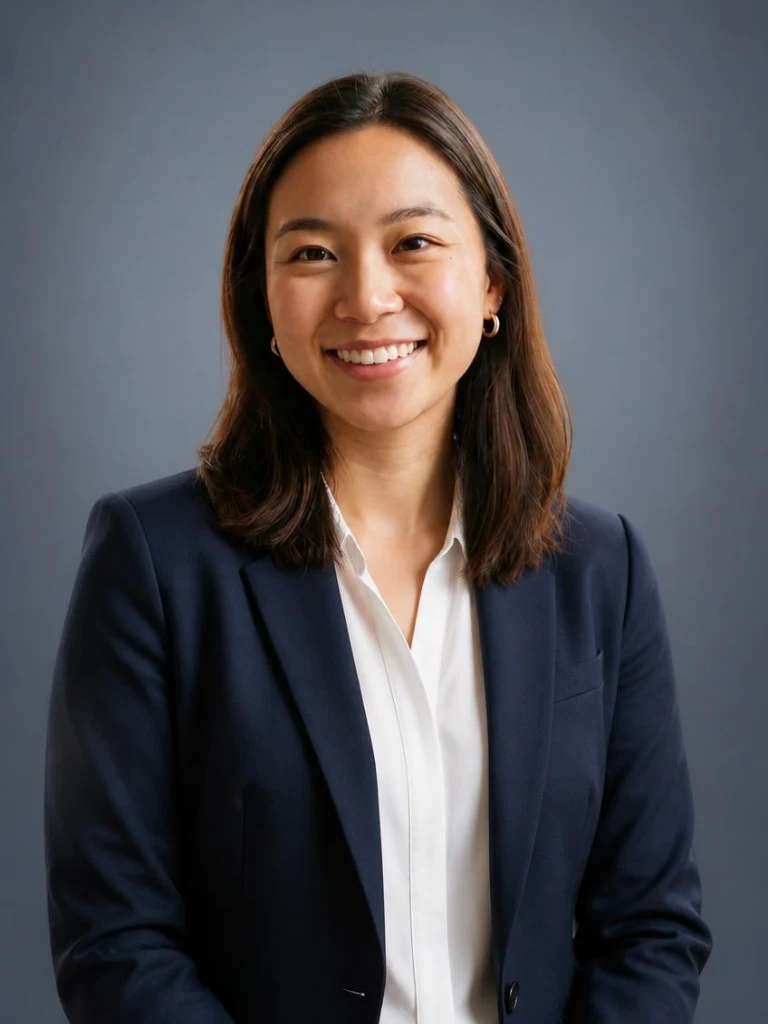
Choose the portrait format for a chest-up resume photo, or the square format for a closer profile headshot. Soft studio light and a simple background keep the focus on you. Review facial details, glasses and hair against your original.
Choose the right photo for the occasion
Use the portrait format for a resume that includes a photo, or the square format for a professional profile. Resume conventions vary by country and employer. These are creative portraits, not passport or visa photos.
Need a document photo? Find its requirements →Before you generate
Which photo should I upload?
Use a recent photo of one person looking at the camera, with your full head, shoulders and eyes visible. Even lighting and an unfiltered image give the AI a clearer reference. JPG, PNG, WebP and HEIC are supported, up to 20 MB.
What size is the downloaded headshot?
The resume portrait is 768 × 1024 pixels (3:4). The square profile photo is 768 × 768 pixels (1:1). Both download as JPG without a watermark. These are suggested export sizes; follow your employer or platform's requirements.
Should I add a photo to my resume?
Resume conventions vary by country and employer. Include a photo only when appropriate for your application. The square option also works as a professional profile portrait. For a form with exact document-photo requirements, use the requirements tool.
Will it change my face?
The AI is instructed to preserve your facial features, age, skin tone and hair. It can still make mistakes. Compare every result with your original; identity matching is not automatically verified.
Does the download include text or a watermark?
The JPG contains the portrait only, without a name, job title, border or watermark. Both formats use sRGB-compatible JPEG export.